Fleet Condition Control › DVIR app
The DVIR app drivers actually finish.
Electronic Driver Vehicle Inspection Reports on the driver's phone. Pre-trip and post-trip checklists fit to each truck and trailer, signed on the spot, with every defect sent straight to the shop.
Now in beta. Works on any phone, tablet or computer.
Electronic DVIR
What is a DVIR, and why put it on a phone?
A DVIR is a Driver Vehicle Inspection Report: the driver's record of the condition of the truck and trailer. In the U.S., federal rule 49 CFR 396.11 requires drivers to report defects in writing, the carrier to certify the repair, and the report to be kept on file.
On paper, that record gets lost in a cab, skipped on a busy morning, or handed in days after the defect was found. With an electronic DVIR app the inspection is done on the phone before the truck rolls, the shop sees a defect the minute it is reported, and the signed report is there when anyone asks for it.
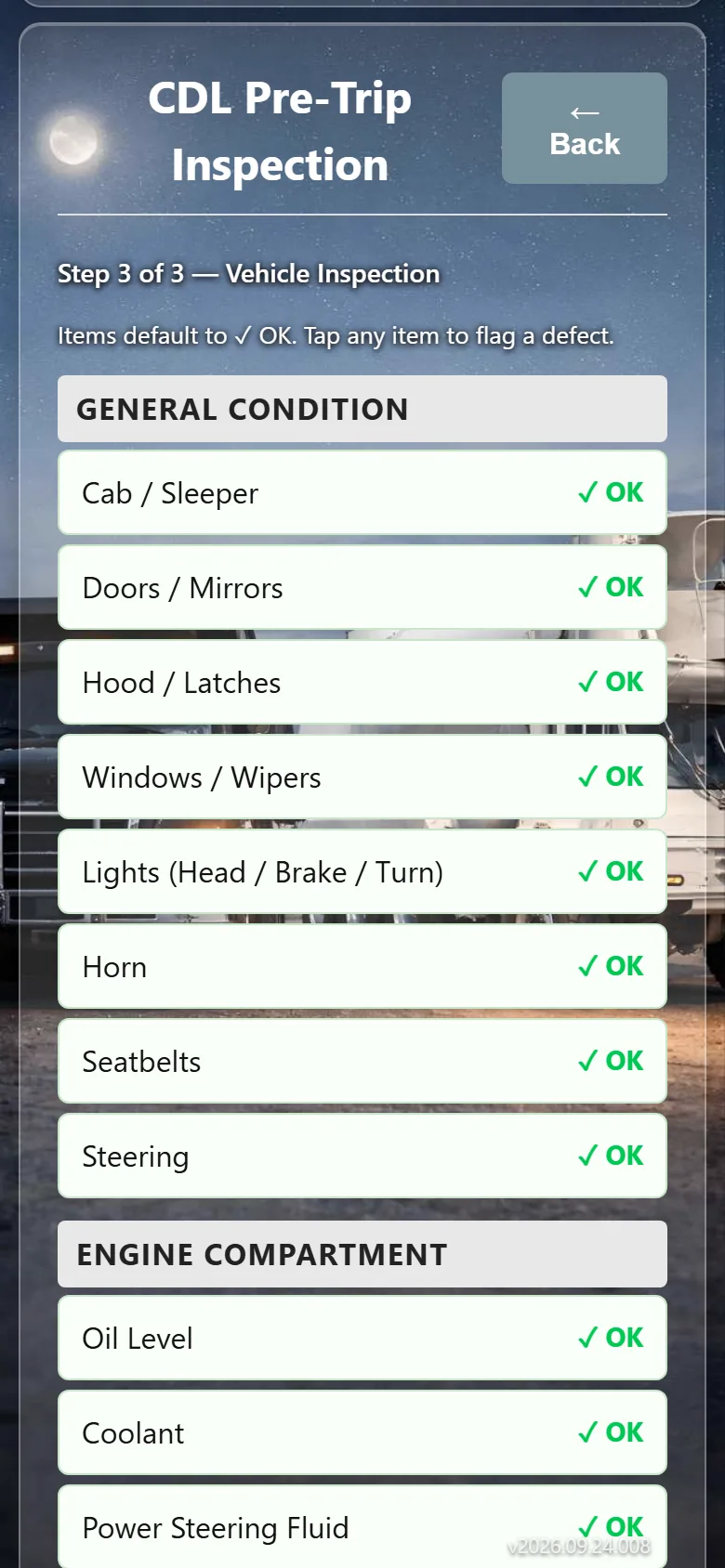
Pre-trip and post-trip DVIRs in a couple of minutes
A clear checklist for each truck type and trailer. Drivers tap through it, sign, and the report is saved with who, which truck, and when.
- Checklists fit to each truck and trailer type
- Separate trailer pre-trips and post-trips
- Signed electronically by the driver
Defects reported with a photo
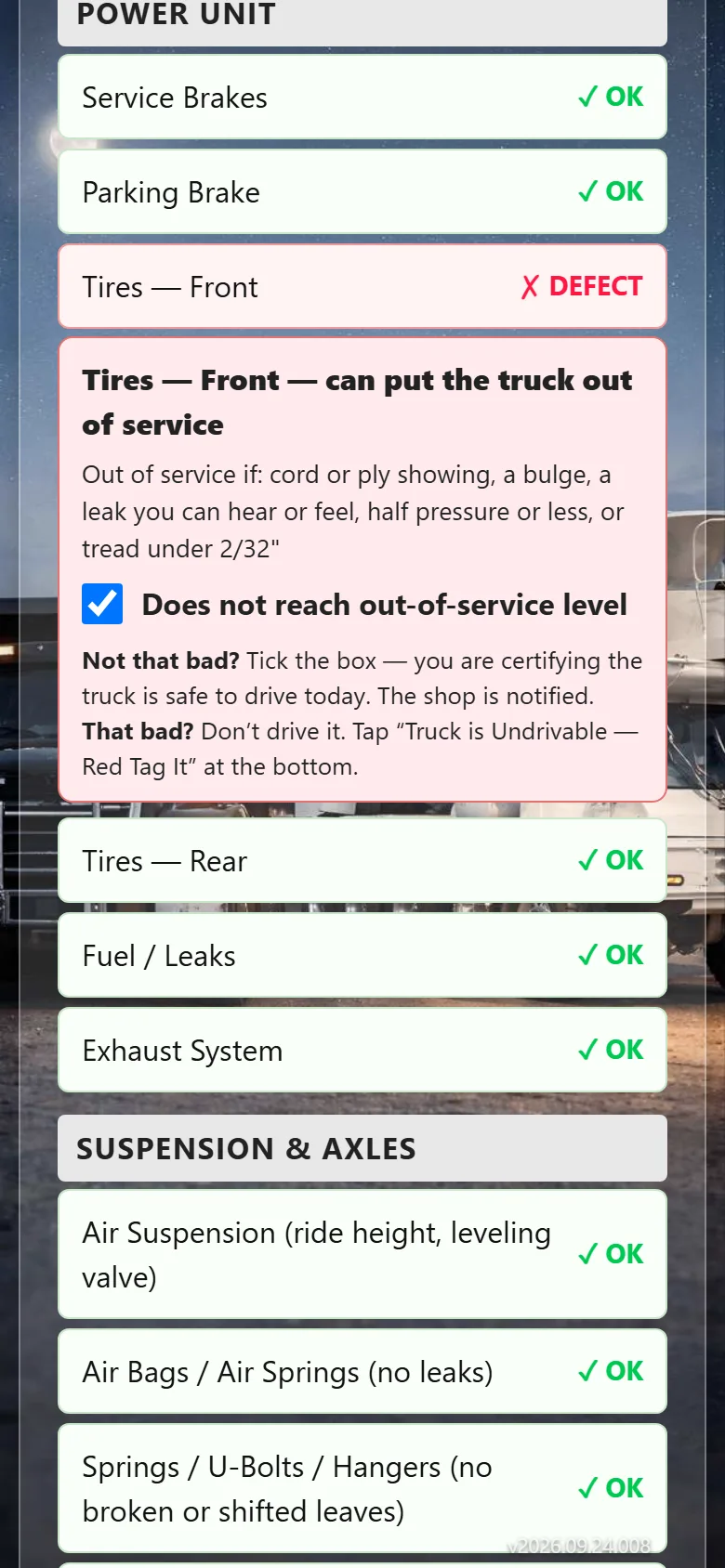
When something is wrong the driver notes it and adds a photo. The defect goes straight to the shop that works on that truck, as a work order, instead of sitting on a clipboard.
- Defects go straight to the right shop
- Mechanics and supervisors sign off the repair
- The repair stays on the truck's record
Red tag a truck that is not safe to run
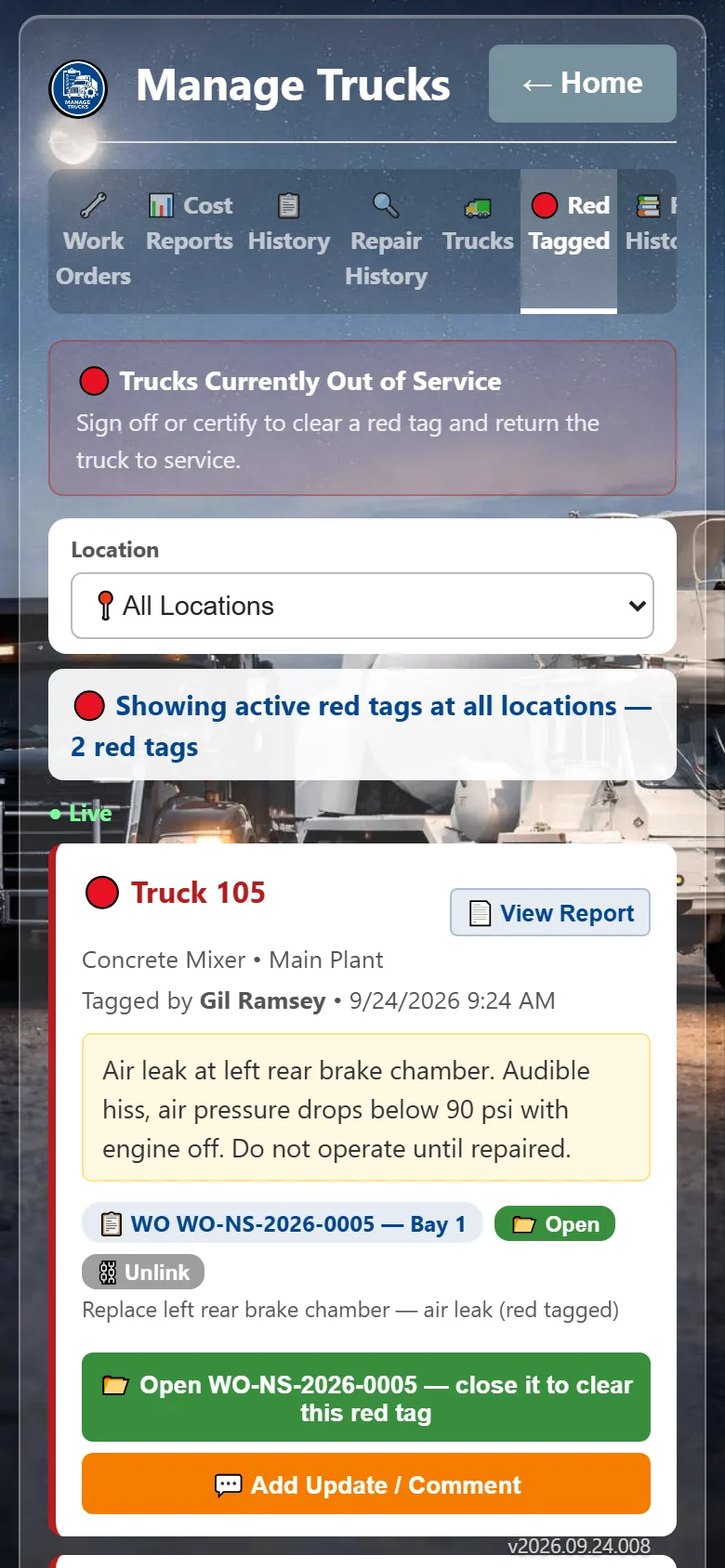
A serious problem can be red tagged on the spot. The truck shows as out of service everywhere in the app, the shop and managers are notified, and it stays down until a mechanic clears it.
- Out-of-service status everyone can see
- Instant notice to the shop and managers
- Full red tag history per truck
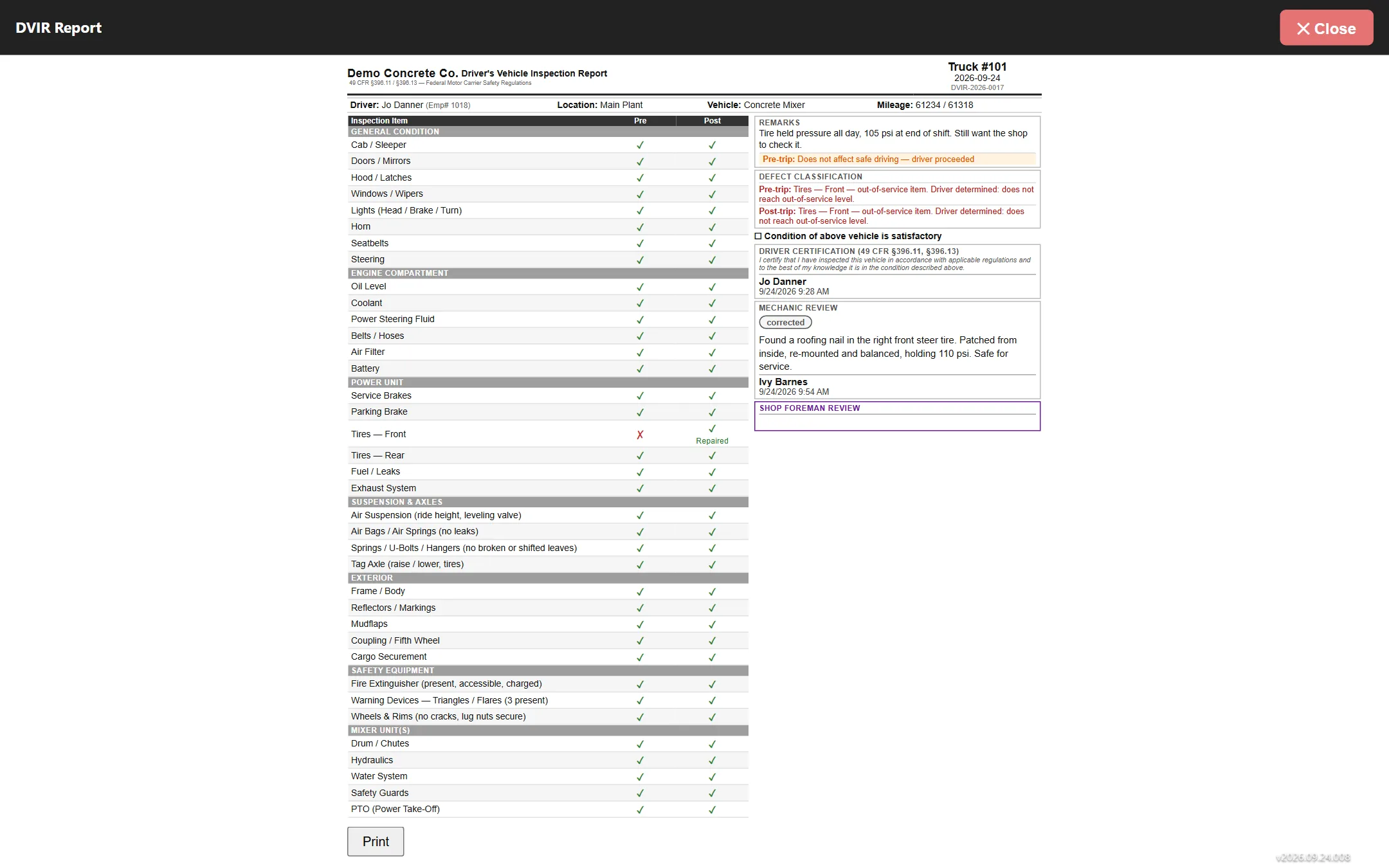
Every DVIR kept and searchable, ready to print or export when an auditor or insurer asks.
Questions
DVIR app: common questions
What is a DVIR app?
A DVIR app lets drivers complete their Driver Vehicle Inspection Reports on a phone instead of paper. In Fleet Condition Control, drivers do pre-trip and post-trip inspections from a checklist, sign electronically, and any defect goes to the shop as a work order.
Can drivers sign a DVIR electronically?
Yes. Drivers sign on their phone when they finish the inspection. Mechanics and supervisors sign off repairs the same way, and every report is kept and can be printed or exported.
Does the DVIR app cover trailers?
Yes. Trailers have their own pre-trip and post-trip checklists by trailer type, including tankers.
What happens when a driver reports a defect?
The defect becomes a work order on the board of the shop that works on that truck. If the truck is unsafe it can be red tagged, which marks it out of service for everyone until a mechanic clears it.
Do drivers have to download an app?
No. It runs in the web browser on any phone, tablet or computer, and can be added to the home screen on iPhone or Android so it opens like an app.
Are completed DVIRs kept?
Yes. Every inspection is kept with the truck's record and can be searched, printed or exported.
More
One app, the whole inspection program
Help us put inspections on every driver's phone
We're looking for a few fleets to run the app live before it opens to everyone. Beta testers get a trial account we set up with them, and a direct line to shape what we build next.