Fleet Condition Control › Repairs & work orders
Fleet repair tracking, from found it to fixed it.
Every defect becomes a work order on the right shop's board. Mechanics see their list, log the repair and close it out, and each truck's repair history builds itself.
Now in beta. Works on any phone, tablet or computer.
Fleet repair
Know what is waiting, what is in progress, and what got done
In a lot of shops, repairs are tracked on a whiteboard, a stack of paper write-ups, and whatever the driver told the mechanic at the fuel island. Things get fixed, but nobody can say what is still open or what was done to a truck last month.
Fleet Condition Control gives every defect one path: reported by the driver, picked up by the shop, repaired, signed off, and kept on the truck's record. Everyone can see where it is.
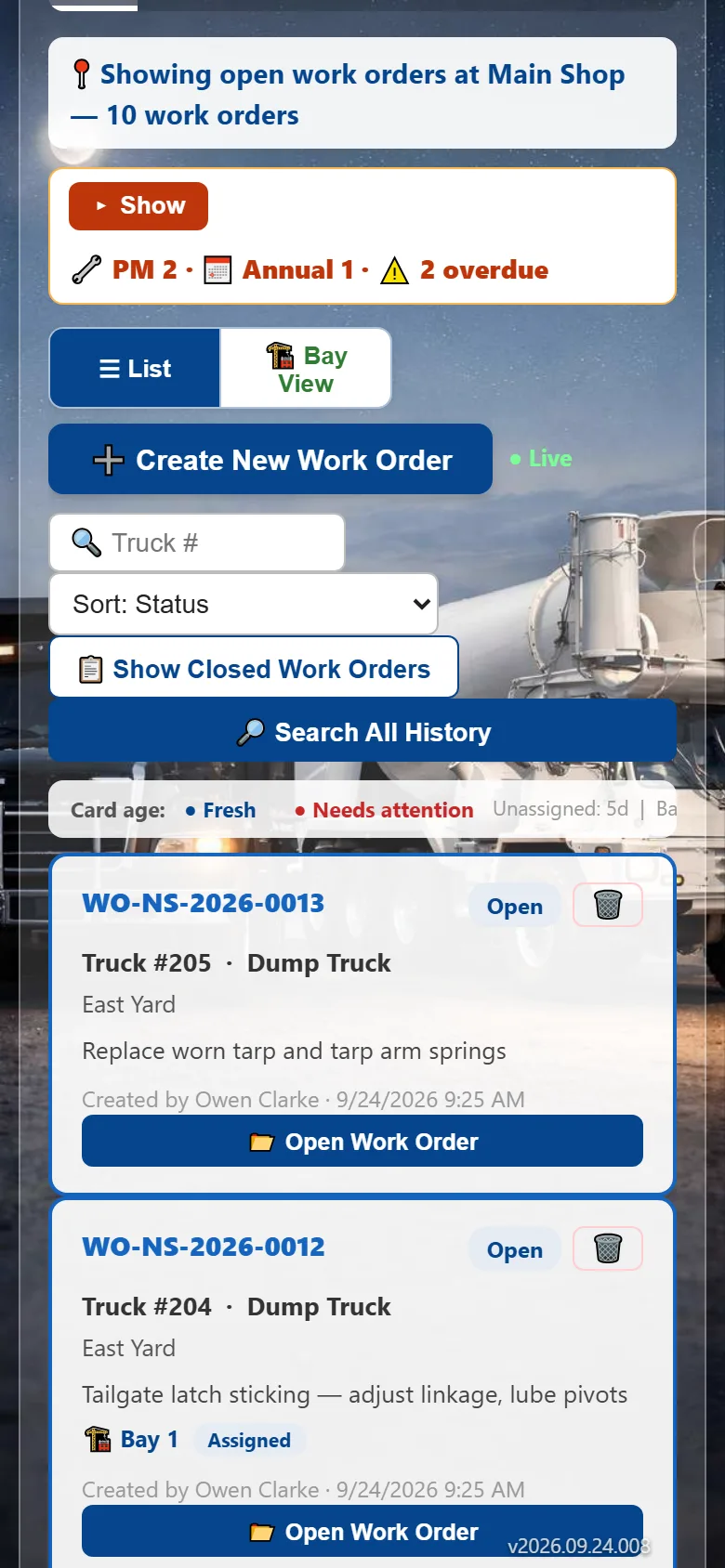
A work order board for each shop
Got a mixer shop and a dump shop? Each shop only sees the truck types it services, at its own locations, sorted by priority. No one sorts a shared inbox.
- Defects arrive as work orders automatically
- Sorted by priority
- Each shop sees only its own work
Mechanics work from their phone
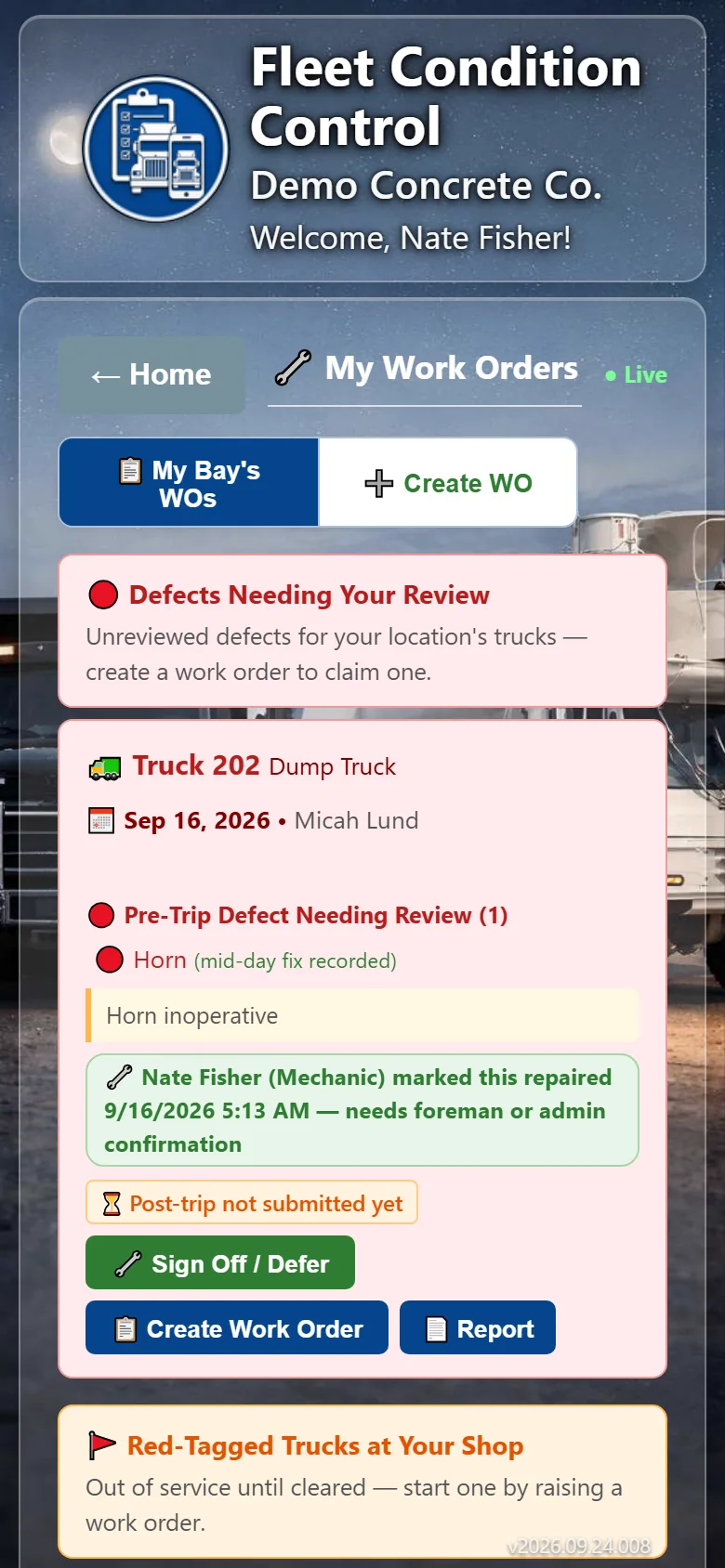
Each mechanic sees what is assigned to them, logs the repair and closes it out. The notes and parts stay with the truck, so the next person knows what was done.
- Mechanics see their own list
- Repair notes and parts kept with the truck
- Repairs signed off by mechanics and supervisors
Red tags that really take the truck out of service
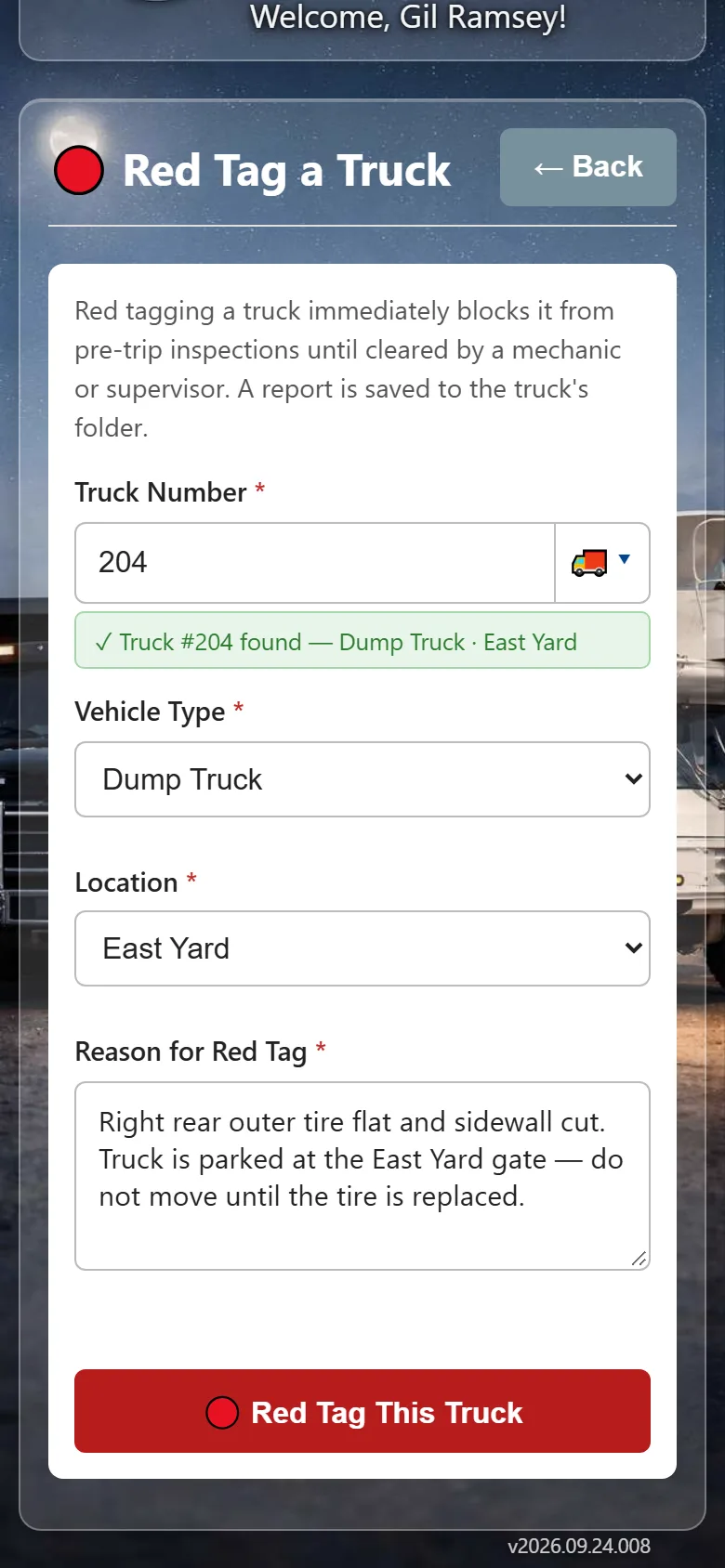
A red-tagged truck is flagged on every screen, for every driver and dispatcher, until a mechanic clears it. It is not a note someone might read later.
- Flagged everywhere until cleared
- Shop and managers notified at once
- Full red tag history per truck
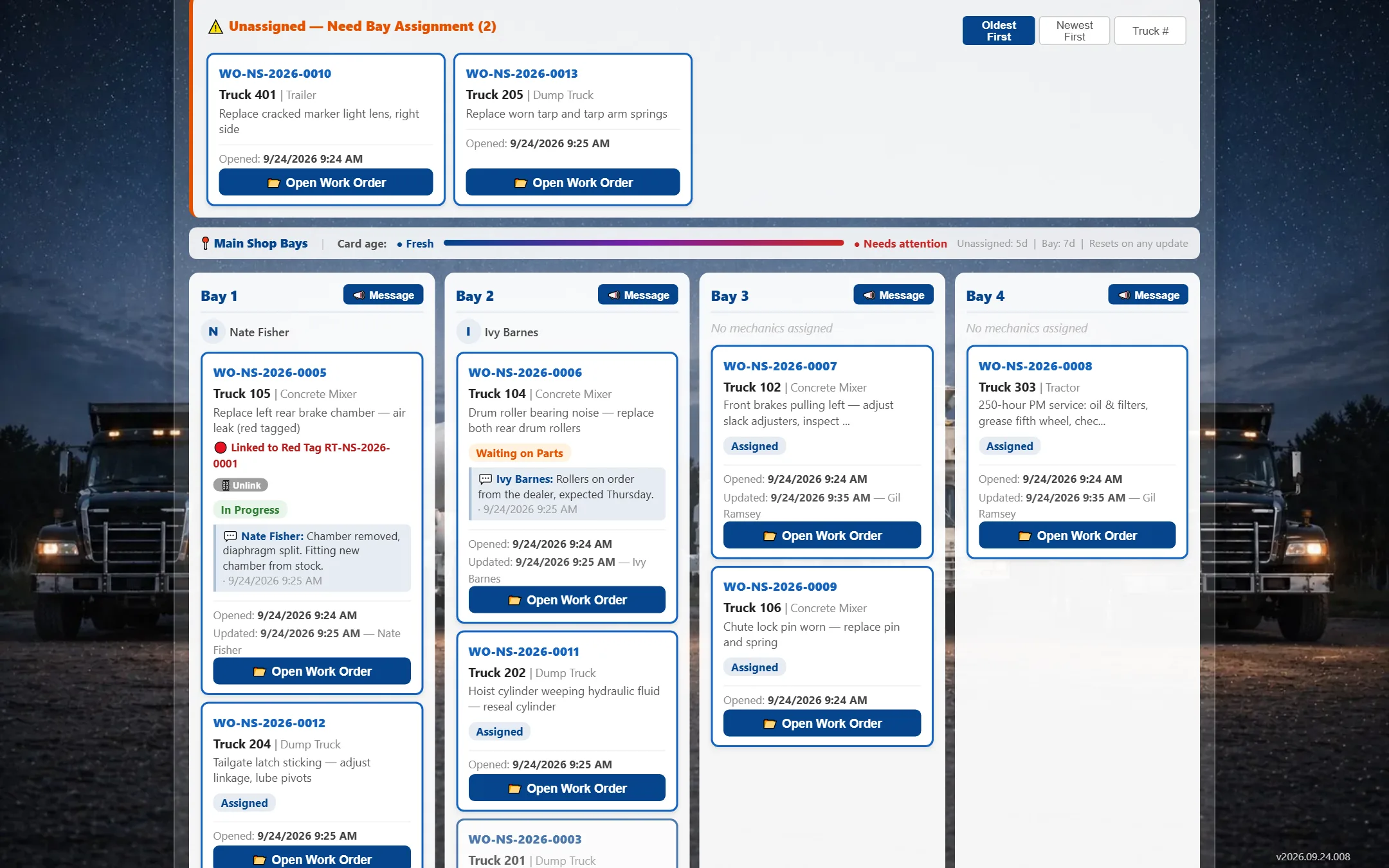
The shop floor at a glance: which truck is in which bay, who is working it, and what is waiting next.
Questions
Repairs & work orders: common questions
How do repairs get into the app?
From the driver. A defect reported on a pre-trip or post-trip inspection becomes a work order on the board of the shop that works on that truck, and a red tag sends the truck to the shop as out of service.
Can each shop see only its own work?
Yes. Each shop only sees the truck types it services, at its own locations.
Does it keep a repair history for each truck?
Yes. Repair notes and parts are kept with the truck, along with its inspections and red tags, so you can look back at what was done and when.
What is a red tag?
A red tag takes an unsafe truck out of service. The truck is flagged on every screen and the shop and managers are notified, and it stays down until a mechanic clears it.
Can mechanics use it on their phone?
Yes. Mechanics see their own work orders on their phone, log the repair and close it out. It runs in the web browser, so there is nothing to download.
Is there a screen for the shop floor?
Yes. Shop Bay View shows which truck is in which bay, who is working it and what is waiting, on any computer or shop-floor TV.
Help us put inspections on every driver's phone
We're looking for a few fleets to run the app live before it opens to everyone. Beta testers get a trial account we set up with them, and a direct line to shape what we build next.